Working with Adobe Experience Manager (AEM) locally can be a tedious task — from setting up Quickstart JARs and managing multiple Maven profiles, to tailing logs and deploying modules. As an AEM developer, I found myself repeatedly doing these tasks manually, wasting valuable time and focus.
That’s why I built AEM Rapid Launcher — a lightweight Python-based desktop tool to manage your entire AEM local environment visually, quickly, and efficiently.
What Is AEM Rapid Launcher?
AEM Rapid Launcher is a GUI tool built using Python + Tkinter that wraps essential AEM tasks like:
- Managing Author/Publish instances (Start, Stop, Restart)
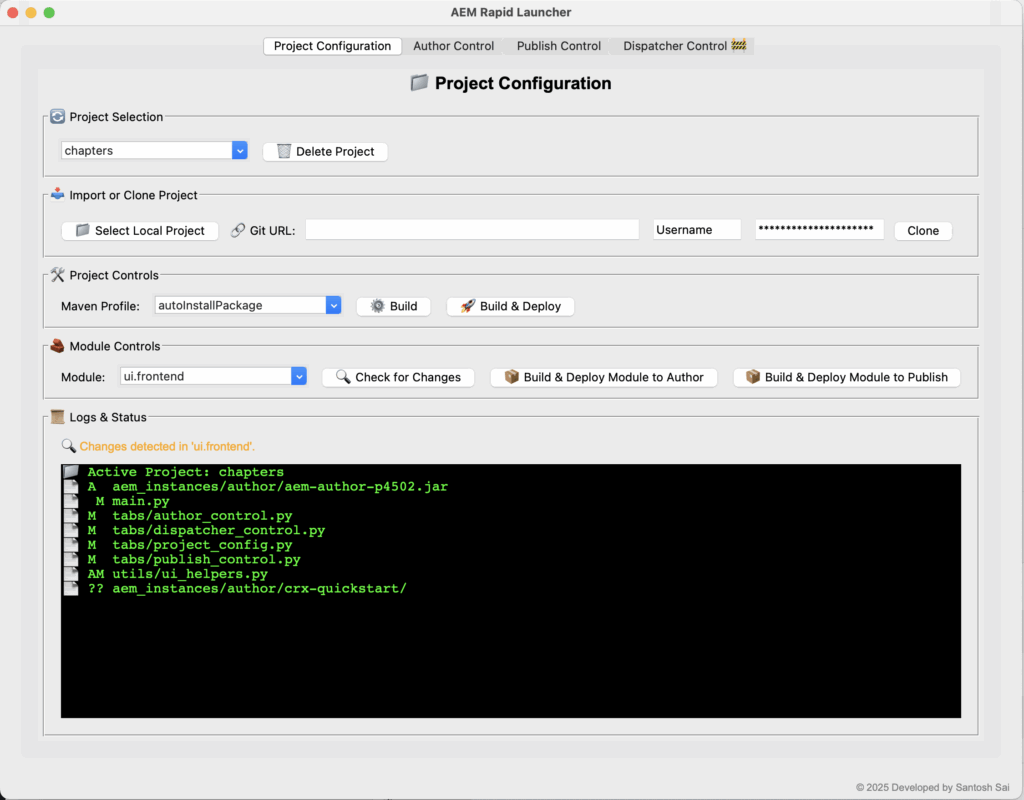
- Cloning and importing AEM projects from Git
- Building & deploying Maven projects and modules
- Viewing logs in real-time with search and auto-refresh
- Direct access to tools like CRXDE and Felix Console
It’s designed for:
- New AEM developers who want simplicity
- Experienced developers looking to save time
- Teams who want a standardized local launch interface
Key Features
1. Project Configuration
Quickly clone or import projects from GitHub or local path, manage Maven profiles and modules, and deploy to Author or Publish — all through buttons, not terminal commands.
2. AEM Instance Control
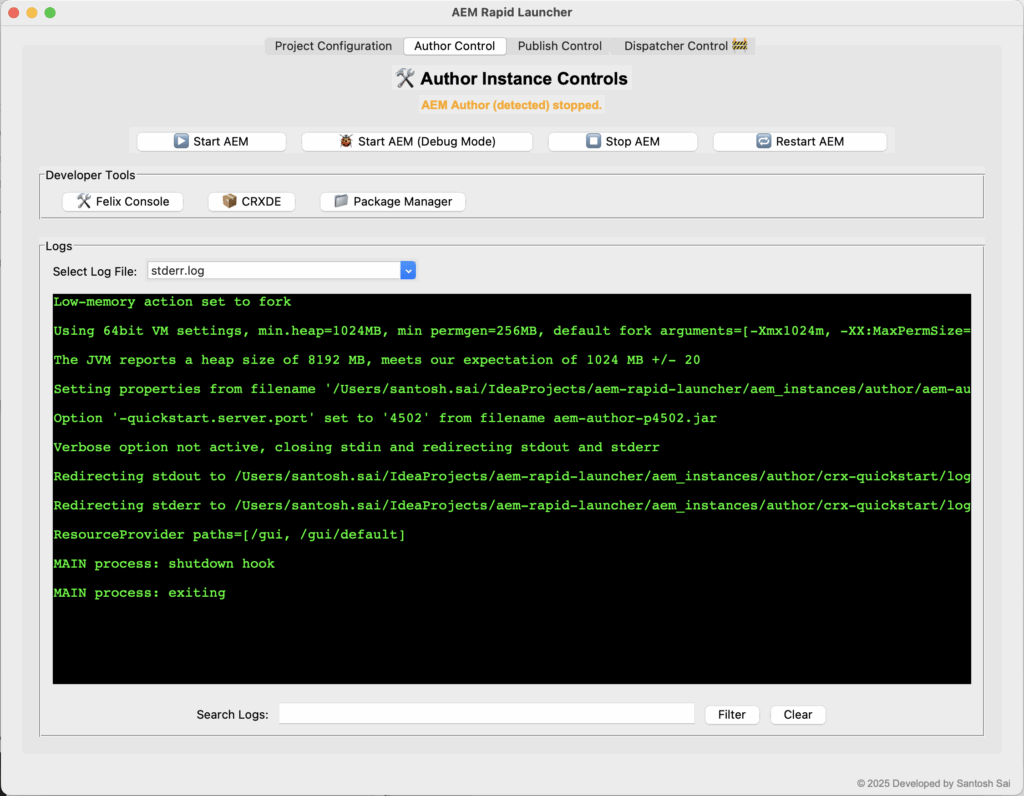
Start, stop, or restart Author and Publish instances with a single click. Includes support for debug mode to connect with IDEs.
3. Developer Tools Shortcuts
Access CRXDE Lite, Felix Console, and Package Manager instantly via GUI shortcuts.
4. Live Logs with Filters
Tail .log files from Author or Publish, filter by keyword, and auto-refresh logs every 30 seconds. Errors and warnings are highlighted in color for better visibility.
5. Dispatcher Config (Beta)
A preview of upcoming support for Dispatcher management using config folders — stay tuned for this feature in the next version.
Why This Matters
Most AEM developers:
- Repeat the same manual steps daily
- Toggle between terminals, editors, and browsers
- Suffer from accidental project misconfiguration
AEM Rapid Launcher removes friction from your daily dev workflow. It’s like a command center for your local AEM instance — clean, responsive, and easy to use.
Screenshots

Get Started
git clone https://github.com/github-santosh-sai/aem-rapid-launcher.git
cd aem-rapid-launcher
python3 main.py
Just make sure you have:
- Python 3.8+ installed
- AEM Author/Publish JARs placed in the right folder (
aem_instances/author/,aem_instances/publish/) - Internet access if you want to clone GitHub projects
The UI will handle the rest.
Behind the Scenes
The tool is built entirely in Python using:
Tkinterfor GUIthreadingfor log auto-refreshsubprocessfor Maven & Java process control- Modular tab-based architecture
I paid close attention to responsiveness and keeping things lightweight so it doesn’t slow down your machine like Electron apps or heavy IDE plugins might.
What’s Next
- Adding Dispatcher Runtime Support (Docker/Apache)
- Version detection and update notifications
- Native installer for macOS/Windows
- Open-source contributions welcome!
Final Thoughts
I built AEM Rapid Launcher for myself first — but quickly realized it could help the larger AEM community. If it saves you even 10 minutes a day, that’s a win.
Try it, share it, and feel free to contribute or suggest features on GitHub.